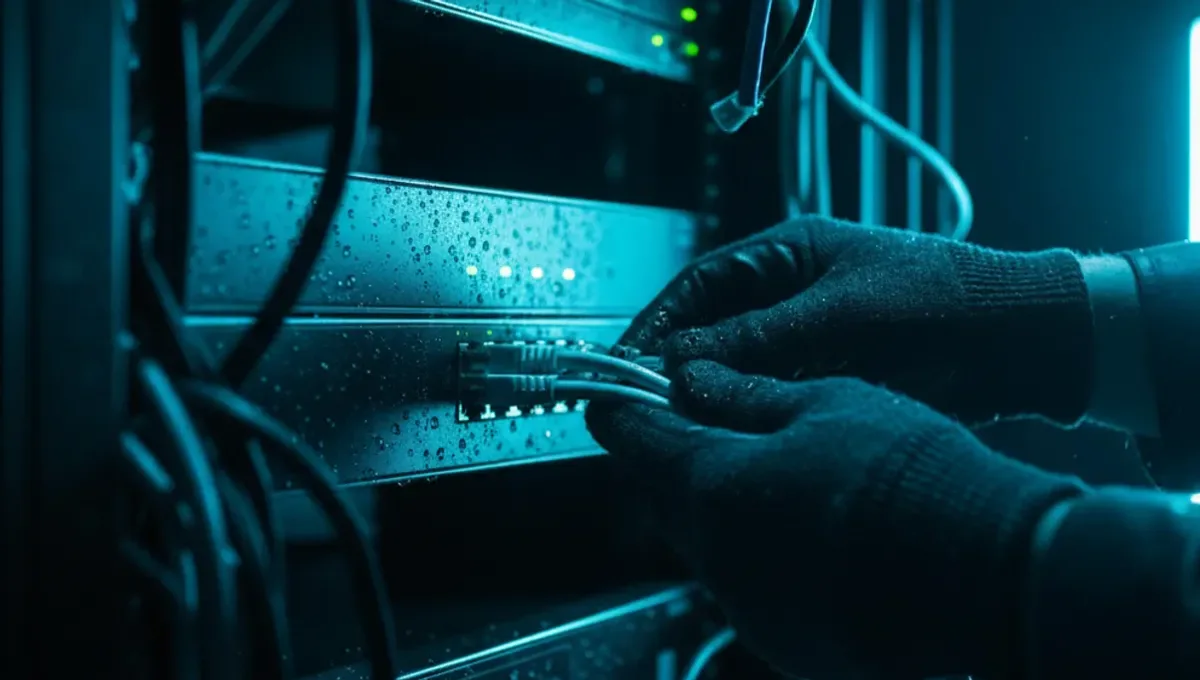
What Defines a Deep Web Server
A deep web server is distinguished by its invisibility to conventional search engines like Google, not by any inherent illegality or secrecy. Most deep web servers are protected by authentication: you log in with a username and password, or your device must be connected to a specific network. Examples include your bank's online portal, your email inbox, medical records systems, and subscription databases at universities. These servers exist on the regular internet but are deliberately restricted from public crawling. The deep web is estimated to be vastly larger than the surface web, though exact measurements are impossible since no single crawler can access all restricted systems.
Deep Web Servers vs. Dark Web Infrastructure
The distinction matters because conflating the two leads to misunderstanding both. A deep web server can be accessed over standard HTTP or HTTPS protocols once you authenticate; it sits on conventional internet infrastructure. A dark web server, by contrast, is typically hosted on the Tor network and accessed through an onion address ending in .onion. Dark web servers are designed to hide the location of the server operator and the identity of visitors. Many deep web servers are run by governments, corporations, and institutions with no intention of hiding anything; they simply restrict access to authorized users. Understanding this difference prevents the mistake of assuming all non-indexed content is illicit or that all privacy-focused infrastructure is criminal.
How Deep Web Servers Use Authentication and Encryption
Deep web servers rely on authentication mechanisms to control who can access them. When you log into your email, you are connecting to a deep web server that verifies your credentials before showing you your messages. Most also use HTTPS encryption to protect data in transit between your browser and the server. This encryption is the same technology that protects your credit card information on shopping sites. Some deep web servers use additional layers: multi-factor authentication, VPN access, or IP whitelisting that only allows connections from certain addresses. The combination of authentication and encryption means that even if someone intercepts your connection, they cannot see your data or impersonate you without your credentials. This is standard practice for any organization handling sensitive information.
Common Types of Deep Web Servers
Deep web servers power most of the internet's non-public infrastructure. Financial institutions run deep web servers for online banking and trading platforms. Healthcare providers maintain deep web servers for patient records and appointment systems. Universities host deep web servers for course materials, grade portals, and research databases. Government agencies operate deep web servers for tax filing, permit applications, and classified information systems. Corporate intranets are deep web servers accessible only to employees. Subscription services like academic journals, legal databases, and news archives require authentication to access their servers. Each of these serves legitimate purposes and protects sensitive or proprietary information from unauthorized access. The scale of the deep web is enormous because nearly every organization with sensitive data runs at least one deep web server.
Risks and Misconceptions About Deep Web Servers
One major misconception is that accessing the deep web is inherently risky or illegal. In reality, you access deep web servers every time you check your email or bank account. The actual risks come from misconfiguration, weak credentials, phishing attacks, and data breaches. A deep web server that is accidentally exposed to the public internet without proper authentication becomes a security liability. Phishing attacks often target deep web users by creating fake login pages that mimic legitimate servers, stealing credentials. Another misconception is that the deep web is a single hidden network; it is simply the collection of all non-indexed servers, scattered across the regular internet. Understanding this prevents both unnecessary fear and dangerous complacency about your own data security.
Reality Layer: How Deep Web Infrastructure Actually Behaves
According to Tor Project documentation, the vast majority of deep web content is mundane and protected for legitimate reasons: banking systems, medical records, and corporate communications. Security-vendor incident reports consistently show that data breaches of deep web servers result from weak passwords, unpatched software, and social engineering rather than sophisticated hacking. Court records from law-enforcement actions reveal that misconfigured deep web servers are often discovered during investigations into unrelated crimes, exposing organizations that believed their systems were secure. Academic research on onion services shows that while dark web servers are designed for anonymity, deep web servers are designed for authentication and access control, a fundamentally different architecture. This matters to you because it means your own deep web accounts (email, banking, medical portals) are only as secure as your password and your awareness of phishing tactics.
Protecting Yourself When Using Deep Web Servers
Since you interact with deep web servers regularly, basic security practices are essential. Use unique, strong passwords for each deep web account you maintain. Enable multi-factor authentication wherever it is offered, especially for email and financial accounts. Verify that you are connecting to the correct server by checking the URL and the SSL certificate in your browser; phishing pages often use URLs that look similar but are slightly different. Never enter your credentials on a page you reached by clicking a link in an email; instead, navigate directly to the server by typing the address yourself or using a bookmark. Be cautious of unsolicited emails claiming to be from your bank or email provider asking you to verify your account. Keep your browser and operating system updated to patch security vulnerabilities. These steps protect you whether you are accessing a corporate intranet, a university portal, or any other deep web server.
Moving Forward: Verify and Secure Your Access
The key takeaway is that deep web servers are not mysterious or inherently dangerous; they are the backbone of secure, restricted-access systems you use every day. Your security depends on strong authentication, awareness of phishing, and regular updates to your devices. Start today by auditing your own deep web accounts: identify which ones matter most to you, ensure each has a unique password, and enable multi-factor authentication on at least your email and financial accounts. Visit the Useful Resources page on this site for links to official Tor Project documentation and security guides if you want to understand the broader privacy landscape. Taking these steps now prevents the vast majority of account compromises and data theft.
Common Questions
Is accessing a deep web server illegal
No. Accessing a deep web server you have permission to use is completely legal. Your email account, bank portal, and university library are all deep web servers. Attempting to access a deep web server without authorization is illegal, but normal use of your own accounts is not.
What is the difference between deep web and dark web
The deep web is any part of the internet not indexed by search engines, including your email and banking portals. The dark web is a small subset of the deep web that uses anonymity networks like Tor. Most deep web content is protected by authentication, not anonymity. The dark web is designed to hide both the server location and user identity.
Can a deep web server be hacked
Yes, but most breaches result from weak passwords, phishing, or unpatched software rather than sophisticated attacks. Using strong unique passwords, enabling multi-factor authentication, and avoiding phishing links significantly reduces your risk. Keeping your browser and operating system updated also protects you.
How do I know if a website is a deep web server
If you had to log in with a username and password to access it, it is likely a deep web server. Your email, banking, medical portals, and subscription services are all deep web servers. They are not indexed by Google and require authentication to view content.
What should I do if I think my deep web account was compromised
Change your password immediately from a different device. Enable multi-factor authentication if available. Contact the organization that runs the server to report the breach. Check your other accounts to see if the same password was used elsewhere and change those too.